


๐๏ธ Your smart homeโs command center, simplified.
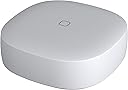
The SAMSUNG SmartThings GP-U999SJVLEAA Remote Button is a compact, white smart home controller that uses ZigBee protocol to connect with a variety of smart devices. It monitors temperature to automate thermostat adjustments, controls lights and speakers, and supports seamless routines. Designed for indoor use with a 120V power supply, it offers a wireless range of up to 130 feet and requires a SmartThings Hub or compatible device.
| ASIN | B07F8ZFFQK |
| Best Sellers Rank | #1,976,870 in Tools & Home Improvement ( See Top 100 in Tools & Home Improvement ) #1,352 in Home Automation Hubs & Controllers |
| Brand | Samsung SmartThings |
| Brand Name | Samsung SmartThings |
| Color | White |
| Customer Reviews | 4.4 out of 5 stars 1,331 Reviews |
| Global Trade Identification Number | 00192969000327 |
| Included Components | Sensor^QSG^HSG^3MAdhesiveStrips |
| Item Weight | 0.05 Pounds |
| Manufacturer | Samsung HI |
| Material | Plastic |
| Material Type | Plastic |
| Model | GP-U999SJVLEAA |
| Operating Temperature | 32 Degrees Fahrenheit |
| Part Number | GP-U999SJVLEAA |
| Smart Home Compatibility | Smart Home Compatible |
| UPC | 192969000037 192969000327 |
| Unit Count | 1.0 Count |
| Voltage | 120 Volts |
| Warranty Description | 1 Year Limited |
W**1
Review: Works with Hubitat
For those who use Hubitat, it's probably no shock that this works flawlessly with the platform. I needed some buttons for various uses around the house because let's face it, we all have smart homes because we like being lazy. Picking up your Smartphone is way too hard right? I was able to pair three of these buttons easily and without issues. They all paired within a few seconds and all reported the temperature within 1/2 degree F of each other and my wall thermostat so no problems there at all. But these are buttons, not thermostats right? I bought them for the button function and didn't even realize they had temperature sensors, so what a bonus that was, especially at this price. Now that I have temperature reporting, I will be busy for months trying to find new ways to integrate that into everything and drive my family totally crazy! I keep one button on a table on my front porch for a ceiling fan, but with temperature, I can use it to alert me of a freeze warning so I know when to grab a blanket. Isn't that awesome, I would never had known to get a blanket before, but now I will always be warm. Oh yes, the button stuff works great too. I set mine up to toggle the fan on or off when I tap the button, it toggles the porch lights by double tapping it and it turns on all of the outside lights when I hold the button. The button range is surprisingly good too. I have a brick Ranch and this button seems to work throughout the 2000 sq ft. house. The build quality was much better than I expected at this price level. In fact, I would say it is great. It is very small at 1.5" square and about a half an inch thick. Hope I don't lose it! I may end up using the adhesive pads that came with it to stick it to the bottom of the table eventually, haven't decided yet. In summary, this is about as good as it gets until the smart home hubs just learn to read our minds. Oh what a joy it will be when that happens and I don't have to labor myself pushing buttons. I'm sure my grand children will never believe my stories.
S**.
Samsung Button Review Only!
First of all let me start off by saying that the first 10 one-star reviews that I read had nothing to do with the Samsung Button. Most had to do with the v3 hub. Apparently Amazon is grouping in all of Samsung SmartThings products reviews into one group which is a horrible idea. Make sure if your looking for Smartthings Button reviews they mention the button in the review itself. As a side note I have the vs2 hub and have had no major connectivity issues aside from the occasional smart sensor needing a reset. OK on to the button review. I have owned two of these now for approximately six months and they have both performed flawlessly. Setup was not that hard that I remember. I do have two more that I just received that I will be installing shortly so I will see if the install process has changed at all. There's not much more I can say. There are no negatives on my end otherwise I wouldn't have purchased two more. They are very convenient compared to taking your phone out and using the app. In certain situations they are even easier than using my Google home voice. I will say this, my only complaint would be that the button needs to perform more actions. I single tap double tap and hold is all you have. There should at least be a triple tap if not a quad tap so that you can control more things. Hopefully they can fix this with a firmware update. Either way I would still recommend these to anyone with a working Samsung hub.
A**N
Unreliable
I own several of the SmartThings Buttons, and it seems every other day one or them becomes "Unavailable" until I physically remove and reinsert the battery. To compound the issue, the buttons are stuck on the wall with a strong adhesive. Last time I had to reset one of the devices, I pulled a bunch of paint off of my wall. And then because the adhesive was covered in paint and nonfunctional, I had to find some new adhesive. These things are great when they work, but my confidence in them is shot. Also, my hub and buttons are both running the latest firmware available at the time of this review. EDIT: Update. After a firmware update a few months ago, the bulbs now flicker on/off randomly at all hours of the day. I have waited more than enough time for Cree to resolve the issue. Unfortunately, my spouse is getting angrier at me by the day, so I'm replacing all of these bulbs with another brand. The money I spent on these has been wasted. UPDATE: It turns out the Cree light bulbs were breaking all of the other ZigBee devices in my network. Previously, all of my SmartThings buttons and sensors kept becoming "Unavailable" at random intervals. However, this issue ceased after I replaced all of my Cree bulbs. Consequently, I bumped my review up from 1 to 4 stars.
A**B
Easy Pairing, Simple Operation, Magnetic Base
Title says it all. I set up one of these in my kids room to enable On/Off control of some LED strips under the bed. It paired easily and works reliably with just one press (none of that press-to-wake_THEN_press-to-use stuff). There's a lot to be said for reliability and ease-of-use in the Smart Home arena still, and this checks those boxes. It does come with double-sided tape, but I want to highlight that it does have a magnetic base. Since I was attaching it to steel anyway, this was a great discovery for me. For better or worse, the kids can now move it around. It's not able to do a lot of different button presses (ie. 1 tap vs. 3 taps, etc), but for the price it's great.
K**H
Very reliable button and great temperature sensor in refrigerator
I now have 5 of these buttons and am very happy with their function and reliability so far. I am using 2 of these as temperature sensors in 2 refrigerators (one inside and one in the garage). So far they have alerted me, through SmartThings, every time someone has not shut the door properly. I have not had any issues with them disconnecting from the network, or failing to control devices. I believe the battery life may be an issue if the temperature changes often where they are located, as they appear to send temperature information every time there is a change. I have seen as many as 13 temperature updates in one hour for the indoor refrigerator, but batteries are cheaper than a fridge full of food. In SmartThings they connect easily and give 3 options for the button; press, double press, hold. Overall a very good addition to the smart home landscape.
J**.
Much needed product in the smart home space! I got four!
The smart home space has needed a small, simple button like this for a while, so great job to SmartThings for filling this need! The switch responds quickly to conveniently control my lights when I donโt want to talk out loud to Alexa. The button also supports three different actions - single press, double press, and long press - so you can automate 3 different actions. Itโs nice and lightweight so it can be stuck (3M double sided tape included) anywhere, and even has a magnet (which I didnโt even realize when I purchased!), so I stuck it on my fridge (see pics) - super easy and convenient if I want to use it in other parts of the house. The added in thermometer is a nice touch too. The switch has all the powerful integrations of SmartThings too, so you can even use it to control Alexa devices. I got one to start, but based on my experience with it, I just ordered three more! Highly recommended!
J**.
Shocked that this product suddenly appeared, but ecstatic about it!
I have spent so much money trying to find wireless remote switches for my connected bulbs. My wife demands that there be a physical switch to operate everything, which I have converted to z-wave/zigbee. This unit seemed too good to be true, but for $15, it was worth checking it out. I now can simply push this button to turn on and off lights I have around the house, which I do not have connected to a wall switch of some kind. So easy to install and set up. Thank you Samsung!! **Update** I have lowered my rating to just 3 stars. This is due to the button constantly disconnecting from the hub. I have 3 buttons. The first one I purchased seems to work fine. The next 2 I purchased quickly out of the excitement of the first one working so good. Hopefully the buttons and the hub will eventually works things out somehow. I will update again if they do.
A**Z
Great little button
I bought 2 of these buttons recently to work with my SmartThings house. They were very easy to set up, and they work very well. They also come with double sided tape, so that you can fix them to the wall. Once they are added to the SmartThings hub, you can start to create routines and automation using one of the buttons 3 functions: Press, Double Press, or hold. I have one button that operates a pole lamp on a single press, sets a scene on a double press, and turns on the downstairs lights when the button is held. It took me about 15 minutes from opening the box, to having my automation running. It is easy to add the button to existing automation as well. Highly reccommend.
C**S
Buen producto
Buen producto, buen precio!
C**H
Great little smart button
We've got a few of these around the apartment for various little smart tasks. They work quite well, super easy setup through SmartThings and integrates into everything really well. The only finicky thing is getting the double press right with the timing but besides that, it's a handy little product.
J**I
Easily Paired, Low Lag...
This device easily paired with my Smartthings hub. Works as intended with very little lag.
A**Z
Muy รบtil
Excelente calidad
B**A
Great product for the price but be aware that there might be a faulty batch of these out there...
Ok, this review is a bit of a weird one to make! I first ordered two of these on July 5th and ONE has worked flawlessly ever since. Very easy to set up and it even comes with two half-circle 3M adhesive to stick on the back of the button and mount anywhere you want. They have three statuses (Press, Double press, hold) but you can create a virtual switch (I called mine Aux. Button) that is activated when either one of these are activated and from there, you can add even more actions to each type. (for example create automations like when aux button is on and button is pressed, then do this) Long story short, As far as THAT button is concerned, it is an amazing product! Where it starts to go south though, is when I went to set up my girlfriend's button. I was able to pair it, set it up but it would always turn itself off, just like if the battery was removed from it and the only way I found to make it work VERY briefly was to drop it on a hard surface from about 2-3 feet or sometimes shake it would do the trick, however it would never work for more than a few seconds, one minute when I was lucky. It really looked like there was a weak contact inside that caused it to fail. No big deal, I just ordered an other one while returning the faulty one, thinking I just got bad luck and got one that was defective. The third one came in and much to my surprise, it had the exact same problem as the one I just returned. Meanwhile, mine is still working just fine, leading me to thing that there must be a bad batch of these buttons. I hesitated a long time before deciding to try it for a third time but I eventually initiated a return for the second faulty button and ordered yet another one. It just came in the mail today and so far, it looks to be just fine. I did reach to Samsung about this but I didn't get a response yet. Since SmartThings are making BIG changes to their platform and their techs are working with a reduced staff due to all what's happening right now, I can guess that this is kinda normal but I really hope that there aren't too much of these defective buttons because if people start giving them bad reviews, it would be a shame since they are actually very good for the price!
Trustpilot
2 weeks ago
1 month ago