Buy anything from 5,000+ international stores. One checkout price. No surprise fees. Join 2M+ shoppers on Desertcart.
Desertcart purchases this item on your behalf and handles shipping, customs, and support to Lithuania.
⚡ Push your home into the future—smart control at your fingertips!
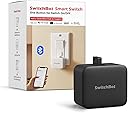
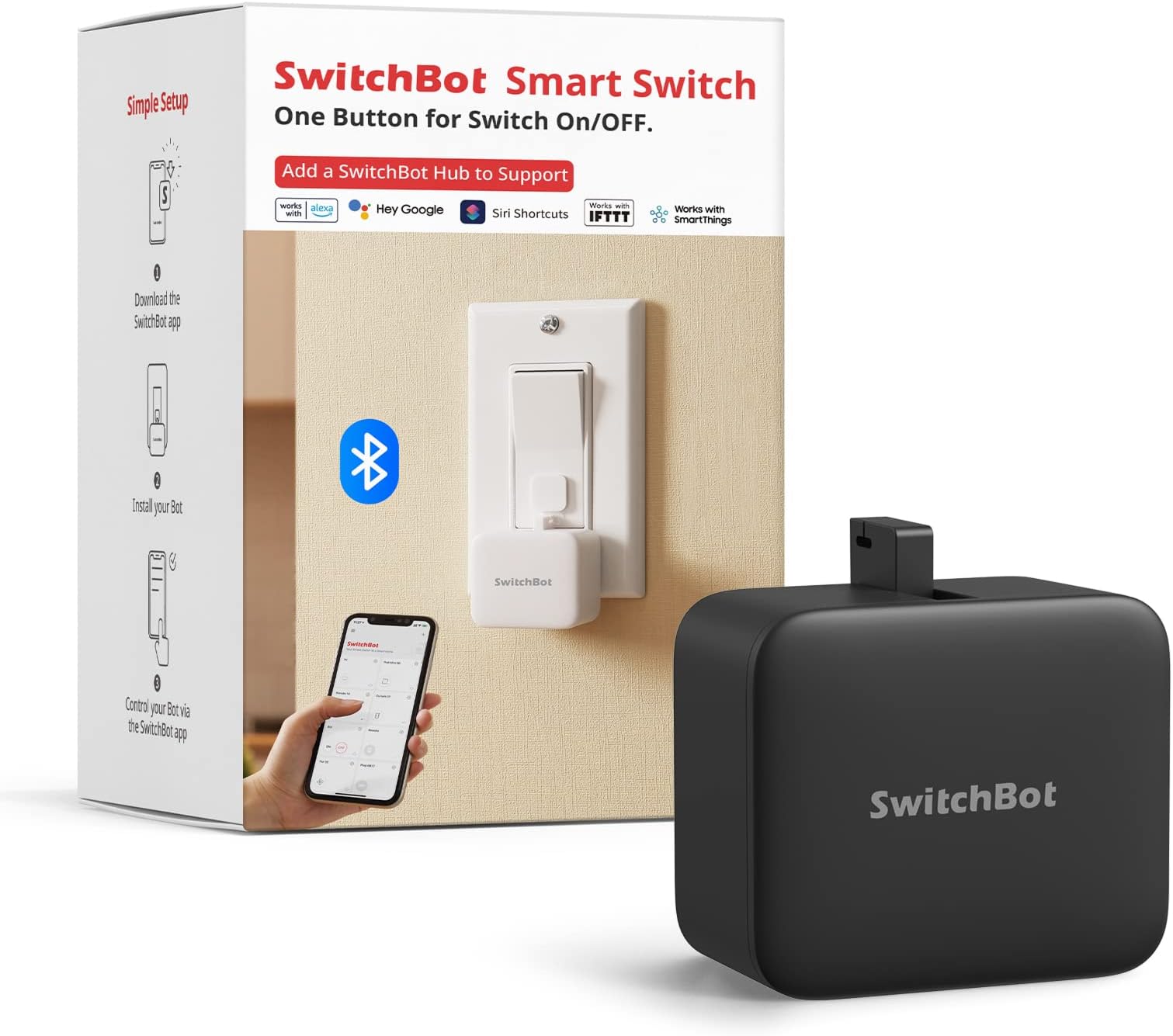
The SwitchBot Smart Switch Button Pusher is a compact, battery-powered device that converts traditional rocker and one-way switches into smart switches via Bluetooth. It features app-based timer scheduling that runs independently, a tool-free adhesive installation, and optional hub connectivity for voice and remote control through Alexa, Google Assistant, and Siri. Designed for seamless integration with IFTTT and smart home ecosystems, it offers a robust, sleek solution to automate appliances without rewiring.


| ASIN | B07B4D9KVX |
| Actuator Type | Push Button |
| Best Sellers Rank | #5,175 in Tools & Home Improvement ( See Top 100 in Tools & Home Improvement ) #6 in Home Automation Hubs & Controllers |
| Brand | SwitchBot |
| Brand Name | SwitchBot |
| Circuit Type | 1-way |
| Color | Midnight Black |
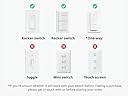
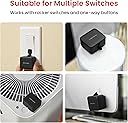
| Compatible Devices | Rocker switches, one-way switches |
| Connectivity Protocol | Bluetooth, Wi-Fi |
| Connector Type | Clamp |
| Contact Material | Copper |
| Contact Type | Normally Open |
| Control Method | Voice |
| Control Type | Full |
| Controller Type | Amazon Alexa, Google Assistant, IFTTT, homekit, vera |
| Current Rating | 1 Amps |
| Customer Reviews | 4.1 out of 5 stars 6,130 Reviews |
| Global Trade Identification Number | 00860038001710 |
| Included Components | Electrical Controls; electronic-component-pushbutton-switches |
| International Protection Rating | IP00 |
| Item Dimensions | 1.67 x 1.44 x 0.94 inches |
| Item Weight | 39 Grams |
| Lower Temperature Rating | 1 Kelvin |
| Manufacturer | Wonderlabs |
| Material Type | Acrylonitrile Butadiene Styrene |
| Model | Switchbot S1 |
| Mounting Type | Wall Mount |
| Number of Items | 1 |
| Number of Positions | 2 |
| Operating Voltage | 3 Volts |
| Operation Mode | ON-OFF-ON |
| Part Number | SWITCHBOT-S1 |
| Smart Home Compatibility | Smart Home Compatible |
| Specification Met | CE |
| Switch Type | Rocker Button,one-way Switch |
| Terminal | Screw |
| UPC | 860038001710 |
| Unit Count | 1.0 Count |
| Upper Temperature Rating | 80 Degrees Celsius |
| Warranty Description | 1 year |
| Wattage | 400 watts |
I**S
SwitchBot CR2 Battery easy to change
Got this SwitchBot button pusher because wanted to put a button for turning on a motor inside my R2D2 - but it turned out had to put that button outside & therefore can be pushed with a real finger. Therefore keeping this switchbot as a backup to the other four switchbot button pushers that I have (two each for my two R2D2s). Anyways as you may know, these switchbots are powered by battery - specifically a CR2 3v battery - and that battery is very easy to change - just flip open the lid and change the battery. I would guess the battery should last like a couple years(?) but at least more than a year - and I would suggest to keep a few extra CR2 batteries on standby for eventually changing them out. Anyways these switchbots are very ingenuiously made for the very unique functionality they have to press buttons where you may not have direct access to. Very Good Value for the money paid. Thanks so much to both Amazon & Switchbot.
B**N
Works well through Bluetooth
Works well if you are close enough for the Bluetooth to work. If you want to use it outside your home with Wifi, you will need the Wifi Hub with a 2.4Ghz connection. May not work if you have newer wifi. Be sure to check beforehand.
D**M
Pretty good, but there might be better options
For nearly 4 years my garage door opener hasn't worked properly. It's an older model and it keeps getting unpaired with the remote. Garage door repair person said we need a new system, but we are going to remove the garage doors entirely in the next couple years so we didn't want to waste money. Welcome the Switchbot Smart Switch. Instead of paying hundreds on a new garage door opener, we spent around 30 or so for a swith to press the garage door button for us. It works pretty well. The app is not the easiest thing to use, but once you download it, the switchbot will automatically get detected as long as your bluetooth is on. From there, you can set up a password for it, then you'll need to input the password again it's set to connect to the system. At one point, something went wrong and I couldn't get it to connect, there's a little button on the inside of the switchbot to reset the bot back to default. I pressed it, but it didn't actually reset the password, but it did get me to a point where I could connect it back up to my phone. This is just a heads up, in case you do need to reset the unit back to default, you may need to hold that button a little longer, I'm really not sure since the reset didn't work for me out of the box. The second issue I had was getting the bot into position for my garage door button. I setup a metal bracket across the garage door opener, and zip tied the switchbot to it. Once in position, I activated the switchbot and a little arm swung out, but fell short of actually touching the garage door button. There is no way to lengthen this arm, so my fix was to take a small adhesive pad and cut it to size. Once I did that and stuck it onto the unit, I was able to have the switchbot hit the button, and the rest is history. It works like a charm, and I can open my garage door from anywhere inside and outside of the house, once again giving my garage door the functionality I had been missing for so long. Some other issues, though, you can't simply connect this unit up to alexa. The unit needs a switchbot hub, which is an additional cost. In the app it gives you the opportunity to turn on alexa integration, but if you don't have it connected to the hub, this selection is grayed out. That means that I can't tell alexa to open the garage. I'm not wasting money on a hub. The battery it uses isn't a common size. It has only been a few weeks of daily use and I haven't had issues with the battery dying yet, but I don't know how long it will last. So far this unit has worked for me, but there are others that have adjustable arms. Had I not found a fix to make this work, I would probably have returned it and gone with one of those, but I'm not going to complain. Just keep in mind what you're planning on using it for, and make your decision based on that.
P**M
Perfect for Espresso Machines and Daily Routines
I bought the SwitchBot Bot mainly to automate the power button on my Breville Barista Express and honestly it’s been one of my favorite small smart home purchases. The Breville takes around 20–30 minutes to fully warm up, so being able to either schedule it or turn it on from bed before going downstairs has been awesome. By the time I get to the kitchen, the machine is warmed up and ready to go. Setup was easy and the button press has been reliable for me. I also live in a two-story house, and it still reaches from my upstairs bedroom to the kitchen without issues. I’m not sure exactly how far the distance is, but there are walls and obstacles between the bedroom and the machine, and it still works really well. It’s a simple product, but once you start using it, you realize how useful it actually is for everyday stuff. One thing I would like to see improved is the activity log synchronization in the app. Since my Breville automatically shuts off after about an hour, I sometimes like checking the logs just to confirm the scheduled press or activation went through. The feature works, but sometimes the timestamps seem delayed or not fully synced in real time. Not a dealbreaker at all, but better log syncing would make an already great product even better. Overall though, this thing has been awesome for my setup and easily deserves 5 stars from me.
A**R
NOT remote!
See below for my original review. I originally left a 1 star review as I felt the item title and listing did not accurately depict that this is not a fully "smart" object on it's own. It does allow you to operate the device within bluetooth range, but you can not operate it fully remotely, without either an additional device from the company or building your own and using their API. So rather than $30, you will need to spend $95 (at current prices on Amazon) to remotely push a button when away from home (or wherever else you are using the switchbot). Customer service reached out to me after seeing the original review and offered to send me, free of charge, the device that turns this into a truly remote button pusher. I received it promptly, set up was easy, and it works smoothly and as expected. The customer service rep also said they had made some changes to the listing to try making it a little more clear what this device can and can't do. I still think it's a bit confusing, and again, am disappointed the company does not make the Switchbot fully remote from the start, again, especially considering you can get smart outlets and lightbulbs that are fully remote, integrate with homekit/etc. for $10 or even less (vs. $95). I hope they can update this product in the future so that 2 devices are not needed to do what these other devices can do in just 1 device. ___ I assumed this would be like any other “smart” item where you can control the device from the app, wherever you are. Not so. This item should really be called “Bluetooth button pusher,” not smart button pusher. It ONLY works via Bluetooth. Meaning, it can only operate when you are in the vicinity of the device. If you are looking for something to push or switch a button remotely (in my use case- turning on a PC while away from home), as I imagine most folks who purchase this are- you’re out of luck. Turns out you must separately buy a $40 hub to enable that functionality. Or if you’re handy, you can program your own hub with a raspberry pi. But even that turns what should’ve been a simple, works right out of the package purchase into something a lot more time intensive. “Smart” lightbulbs, smart outlets, etc. are $10 these days and operate *truly* remotely out of the box. SwitchBot has no excuse for not doing the same for this device, and it comes off as a bait and switch by not being clear that this is merely a Bluetooth device, and forcing you to pay a total of $70 for the functionality you expected with the original purchase.
A**.
There is Still No Better Alternative to Old Reliable
I purchased my first Switchbot Bot back in 2021 so that I could automate my garage door (I have a camera in the garage to verify if it is up or down, and use the bot on either the push button in the garage or a space remote). It worked perfectly for this function at all three of my rental houses since then, allowing me to automate something that is typically not included with the rental, while easily removing it when I leave. Since I have a two door garage setup now, I purchased an extra bot to automate both doors, since it was simply the most cost effective, reliable way to do this as compared to doing wiring, installing other apps, or some other invasive install that I would have to remove the next time I move (I am in the military, so frequent moves are a way of life). It's a no-brainer since I already have a Switchbot Hub.
O**R
Convert your dumb light switches into smart ones the easy way.
Since I was annoyed by my graphic card’s RGB lights on while gaming in the dark, but not willing to install yet another program that will take lot of computer’s resources to turn those OFF, I decided to go with this Switchbot system. Of course, it only works if your graphic card is equipped with a RGB ON/OFF button like mine did. The SwitchBot Bot couldn’t be simpler. The Bluetooth-only device is about the size of a pillbox and features a tiny, telescoping arm that pops out of the center of one side before retreating into the unit. The arm can only extend a couple millimeters, which means it can flip a rocker-style light switch, or any other “press style” switches. A bit more about this device: It’s universal, and works well with just about any rocker switch and button of any appliance. It’s also a smart Bluetooth button pusher for your smart home. It supports Press mode/Switch mode/custom mode. With the included add-on sticker, switch mode helps to turn your light on/off. And of course, it’s easy to install and set up - Tape it right next to a rocker switch or button with a (included) 3M sticker in 5 seconds. No swapping, no tools are required. Easy App operation within Bluetooth range. Used twice a day, the battery is supposed to lasts approximately 600 days. Still, will have to test that though and see if true. While the Bot is clearly focused on light switches, if you have another device with a button in just the right place, like I did with my graphic card RGB, the Bot might work with it, too. I was able to get the Bot to work with turning ON/OFF my RGB without any problem (see video). Some other user may see another use for it on their coffee machine, or any other devices that are not “smart”, but do have a simple button on them.
E**D
I want to like it, I really do. You'll need the hub to really use these.
Ok, let's start with the first thing. These are cute little button pushers. There is something satisfying about the little "finger" popping out and pushing a button. That's about it. If you want to use this with any other smart home system, Google Home, SmartThings, etc., you'll need one of their hubs. Depending on how many "bots" you are using and how far apart they are, you may need multiple hubs. I purchased two of the switchbots and immediately was hit with, download the app, control them with Bluetooth. That's not what I wanted to do, as I have a fairly large investment in SmartThings. So, I sucked it up and ordered the hub. (just the plain square one, not the pretty cloud hub). Both hubs do the same thing, I needed function, not cutsie. I got the hub and tried to bring my two "bots" into my SmartThings universe. This was more painful than it should be. I would add one and then the next and the first would go offline. I don't know how many times it took me to get them both loaded and online at the same time, but it was quite a few. The SmartThings integration said beta or something, but I was able to get them integrated pretty easily. I setup a scene in SmartThings to control them. This is where things could be better. The scene runs just fine, but sometimes the "bots" are asleep or playing video games or who knows what. I get about a 95% of the time working, but there is no acknowledgement message that is sent back so SmartThings just tosses the ball to the "bot" and hopes everything works ok. The biggest issue is just that, if it doesn't work, you have to "sync" the bot back to the app manually. So, if it doesn't turn on the device, and SmartThings thinks it is on, then you have to turn the device on manually or the next command will do the opposite function. I have a pretty good success rate on the first action, it does ok turning the devices on, it's the off that I get about a 95% on one bot and 50% success rate on the other. This is ok for what it's doing, but if it was some mission critical device I was trying to control, 50% success is pretty low. Would I buy them again? Maybe. They do mostly work, but keep in mind that you'll need a hub to control these "bots" with anything other than your phone, and within Bluetooth range to do that. Since there is no positive or negative feed back (ACK/NAK) to your smart home, it's about as reliable as telling an 8 year old to wash the dishes. Now for more on the hub, I got the smaller square hub, but it has a really annoying bright white light that stays on all the time, I have this in my bedroom so I have to put something on top of the box to cover the light. You can still see the box "glowing" so I can tell it's on. Not the best thing I've added to my smart home, but it tries and sometimes works. I just wish there was someway to get an acknowledgement to my SmartThings universe, so I could reliably tell the status. I get that it's a digital world trying to interface with the analog world, but it could be just a bit better.
A**A
SwitchBot Interruttore Robot Intelligente
davvero una soluzione pratica per automatizzare interruttori e pulsanti senza dover modificare l’impianto esistente. La versatilità di questo dispositivo lo rende perfetto per applicazioni creative come quelle che hai menzionato: 1. Accendere il PC: Puoi impostare il SwitchBot per premere il pulsante di accensione del computer. Perfetto per chi desidera accendere il PC da remoto prima di arrivare in ufficio o a casa. 2. Apertura della basculante del garage: Collegandolo a un pulsante già esistente del garage, puoi aprirlo e chiuderlo facilmente tramite l'app del tuo smartphone. 3. Backup per dimenticanze: Se hai la porta di casa automatizzata o con serratura smart, potrebbe servire come backup in caso di emergenza. Vantaggi Compatibilità: Con l’aggiunta dello SwitchBot Hub, puoi integrare il dispositivo con Alexa, Google Home, o altre piattaforme per la casa smart, ampliando le funzionalità. Facile da usare: Nessuna necessità di competenze tecniche o modifiche invasive. Bluetooth e Timer: Puoi programmare routine specifiche o controllare il dispositivo anche quando sei nelle vicinanze senza Hub. Un ulteriore vantaggio del SwitchBot Interruttore Robot Intelligente è la sua facilità di integrazione con Home Assistant, che lo rende un’opzione eccellente per gli appassionati di domotica fai-da-te. Integrazione con Home Assistant Grazie all'integrazione con Home Assistant, puoi: Automatizzare processi complessi: Collegalo a scenari e automazioni preimpostate per controllare il dispositivo in base a orari, condizioni ambientali o eventi specifici. Gestione centralizzata: Puoi controllare il SwitchBot insieme ad altri dispositivi smart nella tua casa da un’unica interfaccia. Compatibilità ampliata: Usa Home Assistant per collegarlo ad altri sistemi e servizi, anche quelli non direttamente supportati da SwitchBot. Ideale per chi: Vuole semplificarsi la vita con piccole automazioni. Ha pulsanti in posizioni scomode o vuole aggiungere funzionalità "smart" a dispositivi tradizionali.
J**Y
Héél handig!!!
👍👍👍
E**E
Kleine Lösung, große Wirkung – macht aus einem normalen Gerät im Handumdrehen ein smartes
Ich habe den SwitchBot Smart Switch Toggle gekauft, um meinen DeLonghi Kaffeevollautomaten ECAM22.105.B über Alexa-Voice bequem ein- und auszuschalten. Genau dafür eignet sich dieses kleine Gerät hervorragend. Die Installation war unkompliziert: Der SwitchBot wird einfach auf oder neben dem vorhandenen Schalter geklebt und betätigt diesen mechanisch per Knopfdruck. Gerade bei Geräten, die von Haus aus keine Smart-Home-Funktionen besitzen, ist das eine erstaunlich einfache und zugleich sehr clevere Lösung. In meinem Fall funktioniert der SwitchBot zuverlässig und präzise. Der kleine „Finger“ trifft den Schalter sauber, und das Gerät lässt sich problemlos über die App oder per Zeitsteuerung bedienen. Damit wird aus einem ganz normalen Haushaltsgerät ohne Umbau oder Eingriff in die Elektrik ein bequem steuerbares Smart-Home-Gerät. Besonders gefällt mir der pragmatische Ansatz: kein Öffnen des Geräts, kein Basteln an der Elektrik – einfach aufkleben, einrichten, fertig. Für alle, die vorhandene Geräte nachträglich smart machen möchten, ist der SwitchBot Smart Switch Toggle eine überraschend einfache und sehr praktische Lösung. Von mir daher eine klare Empfehlung.
マ**サ
ポタ電の電源オン・オフに便利
車中泊用で使用しているポタ電の電源オン・オフボタンに取り付けました。ポタ電の電源を入れるときは、電源ボタンを長押しすると電源がオン・オフできます。スイッチボットで押し込み時間を設定出来るので2秒に設定し使用しています。今までは車内ベッドキット下に置いているポタ電の電源ボタンを自分の指でオン・オフしていました。スマホから電源をコントロールできるので便利ですし、電源投入後はポタ電のアプリでAC電源オン・オフなどができるので一切ポタ電に触れることなくスマホひとつでコントロールできることはありがたいです。
H**A
Can't recommend enough. It just works!
I've tried so many smart home products across brands. The primary issue I have is that they work MOST of the times, not ALL the time. If smart home (let's use SM for this review) products are not reliable, the whole value proposition is lost as it creates added stress and frustration as opposed to convenience. This product highly impressed me. I tried using it for two use cases - pressing the button on my white noise machine and switching on/off my geyser switch. It worked like charm for both use cases. Everything in the product is right - the adhesives are strong, the attachment for switch mode is perfect, and it works every single time reliably. I recently got the remote and paired it with the Bot. Works seamlessly. My wife loved the product but she didn't like the idea of opening an app to switch on/off something. The remote solved that and she loves the experience now. Few such products exist in the market that are of this good quality and work as promised! Highly recommend!
Trustpilot
1 month ago
5 days ago