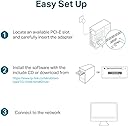
🚀 Upgrade your desktop with gigabit speed and zero setup stress!
The TP-LINK TG-3468 is a high-performance Gigabit PCI Express Network Adapter featuring a 32-bit PCIe interface and a 10/100/1000 Mbps RJ45 port. Designed for seamless plug-and-play installation, it supports IEEE 802.3X flow control for smooth data transmission and is compatible with a wide range of Windows operating systems. Its compact design saves chassis space while delivering reliable, professional-grade network speeds ideal for modern desktop environments.


| ASIN | B003CFATNI |
| Best Sellers Rank | #1,109 in Computers & Accessories ( See Top 100 in Computers & Accessories ) #2 in Graphics Cards |
| Box Contents | TP-Link Gigabit PCI Express Network Adapter |
| Brand | TP-Link |
| Brand Name | TP-Link |
| Color | Green |
| Colour | Green |
| Compatible Devices | Smartphone |
| Compatible Operating System Family | Windows |
| Country of Origin | India |
| Customer Reviews | 4.2 out of 5 stars 36,284 Reviews |
| Data Link Protocol | IEEE 802.11g , IEEE 802.11n |
| Data Transfer Rate | 10000 Megabits Per Second |
| EU Spare Part Availability Duration | 1 Years |
| External Testing Certification | FCC, CE, RoHS, BSMI, VCCI |
| Global Trade Identification Number | 06935364001049 |
| Hardware Interface | Ethernet |
| Importer Contact Information | TP-Link India Private Limited Office No.1, Tower 2, Level 2, Raiaskaran Tech Park, Andheri Kurla Road, M.V Road, Andheri East-400072 Contact: Toll Free 1800-209-4168, support.in@tp-link.com |
| Item Dimensions L x W x H | 16L x 2.8W x 13.5H Centimeters |
| Item Part Number | TG-3468 |
| Item Type Name | Adapter |
| Item Weight Unit of Measure | 0.22 Pounds |
| Manufacturer | TP-Link, TP-Link Systems Inc. 10 Mauchly, Irvine, CA 92618, USA or TP-Link India Private Limited Office No.1, Tower 2, Level 2, Raiaskaran Tech Park, Andheri Kurla Road, M.V Road, Andheri East-400072 |
| Manufacturer Contact Information | TP-Link Systems Inc. 10 Mauchly, Irvine, CA 92618, USA or TP-Link India Private Limited Office No.1, Tower 2, Level 2, Raiaskaran Tech Park, Andheri Kurla Road, M.V Road, Andheri East-400072 |
| Manufacturer Part Number | PCI-E |
| Model Number | TG-3468 |
| Packer Contact Information | Vivaan Electronics Technology PVT LTD. Plot No.573, Sector 8, IMT Manesar, Gurgaon 122051, Haryana, India |
| Product Dimensions | 16L x 2.8W x 13.5H Centimeters |
| UPC | 767531764145 840460604796 |
| Unit Count | 1 Count |
A**T
Plug, Play, Perfect WiFi
I purchased the TP-Link TL-WN781ND PCIe card for a compact PC build, and it delivered exactly what I needed. The package includes two PCIe bracket plates, standard and low profile. Since my case required the low-profile bracket, I swapped it out easily using just two screws. The build quality is solid, and the antenna feels sturdy with smooth 360° rotation. It doesn’t look or feel cheap. Although the box includes a driver installation CD, I didn’t need it, Windows 10 automatically detected the device upon boot. No setup hassles at all. I ran a few basic network speed tests and the card held up well with stable signal reception and consistent performance. Overall, it’s a great budget-friendly option for adding wireless connectivity to a desktop. Simple install, good signal, and no driver drama.
N**Y
Nice one!
Although i havn't read much about this Adapter, but it works nicely in my Win 11(Bloatware). Bluetooth too. Yeah good.
A**N
A DETAILED DISCUSSION AND FACTS YOU NEED TO KNOW ABOUT TP-Link TG-3468 Gigabit PCI Express Network Adapter
First of all I want to say is that the product is AWESOME. Secondly, the delivery was on time (actually it came before the expected delivery date).Go Go Amazon. Now lets come to the question, why I needed this? Well, recently a THUNDERSTORM hit our locality and my Desktop PC was affected by this lightning resulting LAN port malfunctioning in the CPU. My Wifi router malfunctioned too (I gave that to service center later). I called my ISP and they told me that my LAN port was fried and I had to buy a new one.So, I went to local shop and bought a USB-to-LAN adapter for Rs.350. It worked OK at first then I faced problems- my internet speed was limited to 750 Kbps (my ISP provides upto 12 Mbps), the internet connection was not stable, my PC lagged sometimes. So, I googled it and found compatibility issues saying "USB ports are not meant to act as LAN ports". Thus I went to the 'Mecca' of electronic components and parts of Kolkata, Chandni Chowk for PCI LAN card. Interestingly I couldn't find it there (searched for two consecutive days). So, after gathering some infos about my motherboard, PCI and PCI Express, 10/100/1000 Mbps I ordered TP-Link TG-3468 Gigabit PCI Express Network Adapter on Amazon for Rs.750. It came in a very nice packaging with 3 YEARS WARRANTY on the box. In the box there was this LAN card, Driver installation disk and User manual. I installed the card in my PCI Express slot, switched on the PC and BAAM!! There it is. I DIDN'T even HAVE TO INSTALL THE DRIVER SOFTWARE. My onboard Realtek PCIe GbE driver software was compatible with this device. I connected my ethernet RJ45 cable to it and the internet just works fine now as it was before. Now I get the expected internet speed as specified by my ISP, the network is stable and my Desktop PC is running fine as it is new. I am happy with this product. Now some things you need to know before you buy-- 1. This is a PCI EXPRESS LAN card. So check if your motherboard has PCI EXPRESS slot. It should be written as PCIEX4(in my case) or PCIEX16 (generally graphics card is installed in this slot) or PCIEX8 or PCIEX1 or PCIe. If it is written only PCI then this LAN card is not compatible. 2. It works on any PCI Express slot regardless of its version. 3. Don't panic about the fact that your motherboard's PCIEx slot is longer than the gold connectors in the LAN card (in the picture). The length of the slot doesn't matter. It just fits fine. 4. There are 3 LEDs indicating network speed. 10 Mbps LED, 100 Mbps LED and 1000 Mbps LED. According to your internet connection the LED will blink (100 Mbps LED in my case) 5. Comes with 3 Years Warranty. 6. Consult you Internet Service Provider (ISP) before buying. Hope this review helps everyone.
A**R
Nice product
Using it from last 4month working perfectly 👌 speed is also very good
A**.
Delivers very well
I purchased this product as I was upgrading my desktop. I still have not switched to a WiFi 6 capable router as the current plan with my ISP would not give a better value return against the hefty investment. With my 300 MB plan, my previous usb adaptor ( Archer T4u) manages to give me a consistent 230-240 MB bandwidth. However, in comparison, I do notice the PCIe card manages to give 250 MB+. So downloads are just a little bit faster and it's future proof for at least next 5 years. Windows setup on this is a breeze. Just go to the product page, download the drivers and you're good to go. One of my concern was that the product page on Amazon as well as tp-link's official website does not list which chipset it uses. It means Linux users would need to figure it out themselves. I called and emailed TP-link India support to know about the chipset model and I still have not heard an answer in over 3 weeks. Finally I reached out to TP-link US support and they responded within 24 hours. The chipset is AX200NGW. Furthermore, this device is listed EOL on TP-link US, but not on TP-link India. TP-link India support proves their incompetence and ignorance yet again!! Now, if your kernel detects this OOB, that's great. But I can confirm that Arch, ubuntu 22.04 LTS and openSUSE 15.4 did not detect this card out of the box for me, so only Bluetooth worked, but not wifi OOB. I'm going to save fellow Linux users some frustration and give the kernel module needed for this device: rtw89_8852be. If you can manage a line of sight with your wireless router, the signal is great. For me, there's half a wall in between and about 25 feet distance, so I get about 70% signal strength. But like I said, I find no issues with it. Happy with the product, but crappy support from TP-link India.
D**.
Best adapter for Non-Wifi Motherboards
Product meets expectations. I would recommend this adapter only for those who have Wi-Fi-6 routers/mesh routers to enjoy the high-speed internet. Easy to install the hardware but quite tricky to install drivers. Product come with Driver disc and its challenging for those who don't have DVD writer, but drivers are available on TP-link official site for quick installation. Impressed with hardware quality to manage heating issues.
P**S
Why they don't return this percel bad service
This tp link ax1800 mera pass 4 month's sa ghar ma para hai mana isha return bhi kiya par yea log na nahi liya it's means service are very bad I waste my ₹2500💔
M**7
Works on Debian GNU/Linux with non-free firmware
Economical, got it during the sale with CC offer for below 800, Works well with Debian 12 and 13, but do note that it requires the non-free firmware package, suitable for basic wireless connection limited to speeds below 100mbps, it cannot go double digits(I have seen max 60Mbps).
Trustpilot
1 month ago
2 days ago