Buy anything from 5,000+ international stores. One checkout price. No surprise fees. Join 2M+ shoppers on Desertcart.
Desertcart purchases this item on your behalf and handles shipping, customs, and support to Lithuania.
💡 Light up your life on your terms — never miss a beat or a watt!
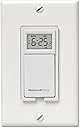
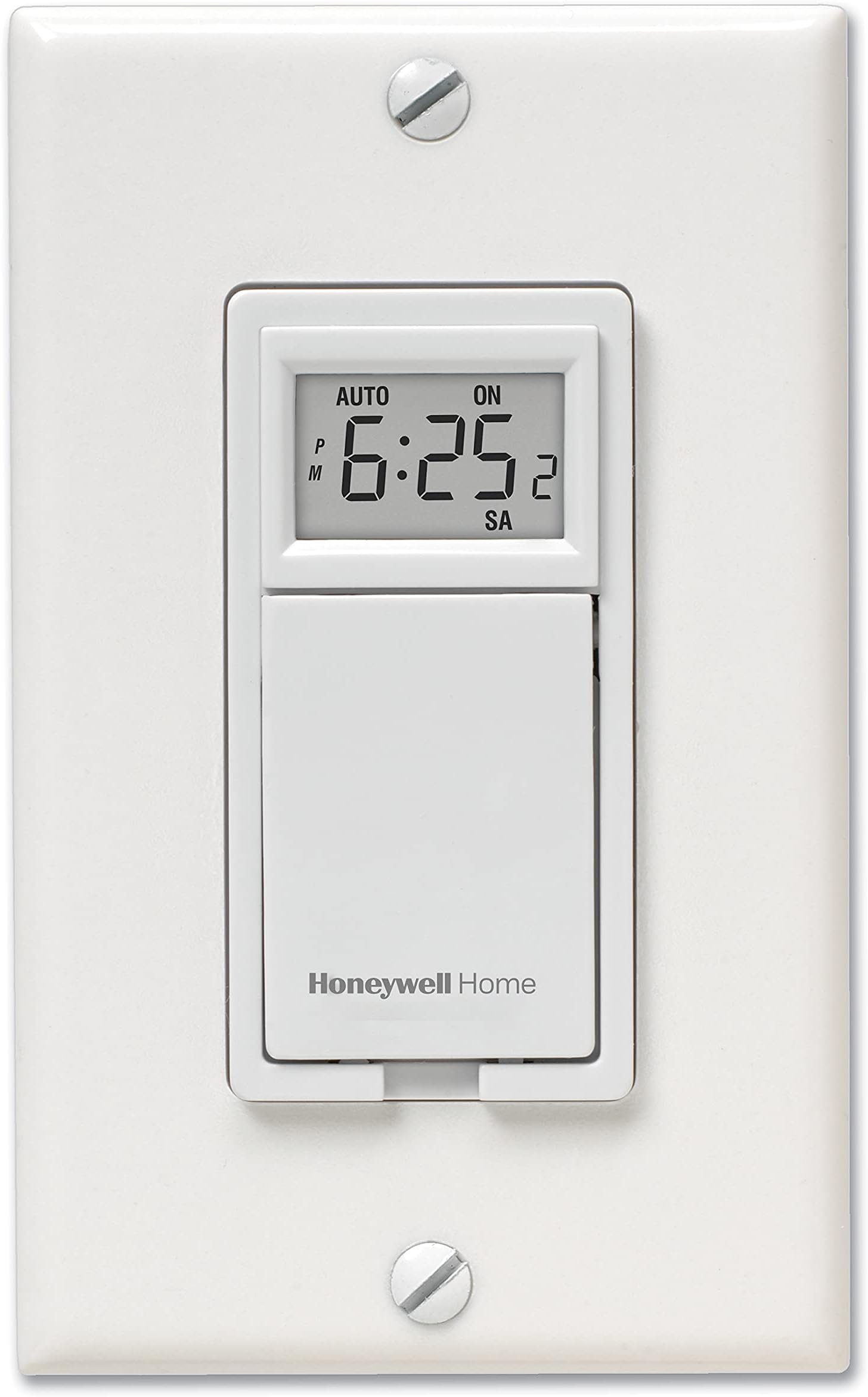
The Honeywell Home RPLS730B1000 7-Day Programmable Light Switch Timer offers professional-grade scheduling flexibility with up to 7 customizable on/off programs per week. Compatible with all major bulb types and motor-operated devices up to 2400W, it features a built-in rechargeable battery to protect your settings during power outages. Its sleek design and backlit LCD make it a seamless, energy-saving upgrade for modern smart homes wired with a neutral line.


| ASIN | B004SOZHXY |
| Best Sellers Rank | #200,360 in Tools & Home Improvement ( See Top 100 in Tools & Home Improvement ) #180 in Wall Timer Switches |
| Brand | Honeywell Home |
| Brand Name | Honeywell Home |
| Color | White |
| Customer Reviews | 4.4 out of 5 stars 5,919 Reviews |
| Global Trade Identification Number | 00085267560726 |
| Included Components | Built-In Rechargeable Battery, Honeywell 7-Day Programmable Timer |
| Item Dimensions D x W x H | 1.5"D x 1.8"W x 2.7"H |
| Item Type Name | 7-Day Programmable Light Switch Timer |
| Item Weight | 0.25 Pounds |
| Manufacturer | Honeywell Home |
| Manufacturer Part Number | RPLS730B1000 |
| Manufacturer Warranty Description | 1 year limited warranty. |
| Material | Plastic |
| Material Type | Plastic |
| Model Number | RPLS730B1000/U |
| Number of settings | 7 |
| Product Dimensions | 1.5"D x 1.8"W x 2.7"H |
| Screen Size | 4.1 Inches |
| Smart Home Compatibility | Not Smart Home Compatible |
| UPC | 085267560726 |
| Unit Count | 1 Count |
M**M
Well made hard wired timer. Easy to install and program. Great value.
When I purchased my home I needed to have a radon fan installed as the radon level was just slightly above the advised limit. The fan, like any fan, makes some noise/vibration and the vent pipe goes right by my bedroom on the outside of the house. As a light sleeper this drove me nuts. All last winter I went to the basement and shut off the breaker to the fan each night. It wasn't an issue during the summer thanks to open windows, crickets, tree frogs and other night time noise makers. Then it was winter again... I started shopping for a hard wired timer looking at several variations. I kept coming back to the Honeywell and finally pulled the trigger on it. It arrived quickly thanks to Amazon Prime and I soon went to work. $6 in parts from the big box store bought me a place to mount it in the basement. I shut off the breaker and cut the electrical wire to the radon fan. New box installed and when I went to mount the Honeywell I found it wouldn't fit in the metal faceplate. I needed to trim the mounting tabs on the timer to make it fit. This would have happened to any brand and is not the fault of Honeywell. Once the tabs were trimmed the timer mounted beautifully. Electrical connections were simple. Programming the Honeywell could not have been easier. Set the time, set the day, set when you want it to come on and off. My program was simple and repeated each day. Off at 11p, on at 6a. It works wonderfully and there is now silence when I sleep (except when my kids wake up) I highly recommend this timer and my only complaint is a lack of a backlight on the display. Certainly not a show stopper but it would make the timer even better. As stated above, my radon level was just at the threshold for a mitigation system and I am comfortable shutting it off. Consult a radon professional before shutting off your mitigation system.
J**N
Does what it says
This thing is really cool. I wanted something that I could use to put my porch light on a timer with a CFL bulb, and this works perfectly. Some other available products (light sensors and other timers, including a Honeywell timer similar to this one) only work with incandescent bulbs, which defeats the purpose of putting lights on a timer to save energy. I could leave my 26-watt CFL (100w equivalent) on all day and still use less electricity than a 100-watt incandescent on an 8-hour timer. With this model, you can program either a single on/off cycle to repeat every day, or up to 7 separate on/off cycles for each individual day of the week. I think you can also set an every-day cycle and combine it with 6 additional day-specific cycles if you choose. The cover for the programming buttons also functions as the manual on/off button, and using it does not interfere with your programs. There is another model that works with CFLs -and- can be set to vary its on/off times to match your local daylight calendar ( Honeywell Econoswitch RPLS740B 7-Day Solar Time Table Programmable Switch ) but for the extra cost, I didn't need that feature. I had some trouble figuring out that you have to slide a toggle under the button cover to "ON" before the switch itself will work AT ALL. I thought that was a bit confusing in the instructions, so now you'll know. Programming is not very difficult but it took me a few tries to figure it out. When you are finished programming, just close the cover and press it once (as if you're turning the light on) to exit programming mode. To use this timer, you need to have a light switch where the power enters at the switch rather than at the light fixture. That's because the timer itself needs to have electricity constantly, in order to operate while the light is turned off. If your power enters at the light fixture instead, shutting off the light would also kill the power to the timer. Most houses are wired the correct way, which typically means at least 1 pair of black/white wires entering the switch box. If instead there is no white wire (i.e. neutral) at the switch, only two black wires or a black and a red, you won't be able to use this timer. (Note: There is no safety concern if your switch box doesn't contain a white neutral wire - it's just an antiquated wiring practice). As a side note, this switch has some sort of capacitor inside that saves your programs during power outages. It isn't a battery, so you would never need to replace it. It has worked fine through a couple of brief outages so far. Edit: Lost power for over a week from some nasty storms this summer (July 2012), but the timer remembered all of my programs and the clock was still correct. Awesome!
H**M
Awesome Timer, Easy to Install - Requires Neutral Wire (White)
Ever since I put up my Christmas lights this year, someone has been vandalizing them by cutting the wires on several of my strings. After two police reports, the police suggested I invest in a security camera and auto light switches. Since then, I've invested in both (the latter being this timer). In regards to this timer, there is another one identical to it, but with a model number that contains a "5" in it. Looking at Honeywell's website, they currently offer four timers, 2 in the "5-series" line and 2 in the "7-series line". The differences between the two series are that the "5-series" has a 40 watt minimum load but can be used in a single pole (2 wire) or multi (3-wire) installation. The "7-series" has no minimum load requirement but requires a neutral wire... however the manual doesn't list a 3-wire installation support. I'm not an electrician, so I don't know what you would call my setup. It definitely wasn't a single pole installation, as my switch for outside lights shared wires with a 3-way switch next to it (that was for foyer lights inside). I did identify that my setup had a ground (bare wire, green), 2 blacks (one line, one load), and a neutral. Since this model didn't have a ground connection, I ended up clipping the old ground wire that connected to the old flip switch. What was left was the line/load/neutral that connected to the Honeywell. Installation was a cinch and for the new wallplate, I used: Leviton 80405-W 2-Gang 1-Toggle 1-Decora/GFCI Device Combination Wallplate, Standard Size, Thermoset, Device Mount, White . Everything fits perfectly and I'm extremely happy with my setup. Lights turn on/off and I haven't had an incident (yet). Even still, it's good just to simulate that you are home.
M**R
Good timer, minor quibbles
I have two of these, the first installed more than 2 months ago. These control my front porch light, and my garage lights. Some notes for people considering these: The pros: - this will fit in a standard gang box (some alternatives I looked at were so large they would not have fit). I fit this in a 2 gang and a three gang box, with decora rockers. A bit of a push, but doable. - they work with any light, including the cfls - they can operate as a standard, if but expensive, regular switch - they are actually remarkably easy to program, despite being small (but see a con below about the LCD) - you can program like 9 programs. Each program is an "on - off" sequence. So for me, it takes two programs to turn the lights on in the AM, before we go to work, and then turn them off, then turn them back on, in the PM, before we get home, and then turn the off after we go to bed. I have no idea why you would need 9 programs, but there you have it. The cons: - as others have noted this requires a neutral wire. So, for example, you cannot install this in a loop that is past the light itself where just hot wires come into the box. - as a result of the observation above, installation is not simple for non electricians like me. My home has somewhat complex wiring (red wires, white, black, some hot and wired on outlets, some outlets wired for switches etc.). The instructions warn about wiring this hot, but I had no choice. I could not determine which wire was neutral and running up and down to shut the power off got old. It did not seem to affect the unit (wiring it hot). - the three wires that come out of the unit are silver strand, not solid - I think 16 gauge. This means you have to use twist caps to get the connection. In one case (the 3 gang box) I had like 4 or 5 white wires to connect with this - which was a mess and hard, and if the strands are loose, the connection will not work. - the LCD panel is not backlit. Most switches are about 4 ft high. I had to use a flashlight and bend down to see the LCD . . . so reprogramming them for me requires a flashlight so I can see the LCD. This in fact is why it does not get 5 stars. - the switch for manual on off is a click switch on little square pins, so the cover of the switch feels a little "dangly" when you push it to turn lights on or off manually. Therefore, sometimes you cannot tell if it "clicked." This cover does however cover over the programming buttons, so it is nice for that. You would think with this many cons this would not be 4 stars, however, they are relatively minor quibbles. Once they are set up, these seem to work well. I do not know about long term reliability. - mike
M**O
Excellent Timer for Outdoor Lighting
This product solved the problem of turning my porch lights on at night and off during the day while still keeping the switch functional. For the price, I can't image anything better (granted I can't control these lights with my Amazon Echo, but I don't think I need to anyways). The installation was pretty straight forward. (1) turn off power at the breaker (2) remove old switch (3) connect wires to the Honeywell (4) turn breaker on, test, and program with included instructions. (Note you may need to purchase a new wall plate based on your configuration. These are sold on Amazon as well.) I was actually not sure if I had the wires correct because I have two porch lights and I felt like I had an extra wire, but with some luck, I got it on the first try. Programming was pretty easy and there are WAY more memory settings that I will ever need. I believe there are 7 memory banks, but each memory bank holds a full 7-day cycle. So you can program your lights to turn on and off 7 different times independently each day for 7 days (so day 1 does not have to be like day 2). I am only using 1 memory slot and have my lights turning on at dusk and off at dawn everyday. We just went through daylights saving and I was very easily able to update the timing of my lights. Truly a piece of cake. No, I can't tell Alexa to turn these lights on and off as this switch is not Wifi enabled, nor can I turn these lights on and off with an app on my phone, but honestly, all I wanted was to have my porch lights turn on and off every night and mission accomplishd.
S**H
Works great -- BUT -- some cautions
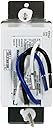
I installed this timer to control the exhaust fan in a walk-in closet. This walk-in closet has no windows and we are concerned about musty odors building up, and, the possibility of mold due to no air circulation. Our builder installed an exhaust fan with an on-off switch. We wanted to automate the fan and have it turn for several hours daily. We run it a few hours every day but sometimes forget to turn it off or on. This timer is exactly what we wanted. I installed it a few days ago and it's turning the fan on and off at the appointed times (7 AM - 5 PM). We can turn it on/off by pressing the cover, which activates switches in the timer. Here are some comments. MUST USE A TIMER THAT'S RATED FOR A MOTOR. There are a lot of timers out there, most of them control lights. A motor is different because, when the motor first starts, it draws a lot of current -- the startup surge -- then it draws only the amount of current needed to run. Lamp timers may not handle the startup surge. In fact, the first timer I bought (sent it back) said NOT FOR USE WITH MOTOR -- the warning was not in the description. WHICH IS THE LOAD, WHICH IS THE LINE? This timer has three wires that must be connected to NEUTRAL, LOAD (the motor, the light, whatever is being controlled) and LINE (the wire coming from the breaker, carrying current). the box where the switch being replaced was located were two cables, each with white (neutral), black (hot), and ground wires. I could not tell which cable came from the breaker box (line) and which went to the fan (load). SO -- this is what I did. -- Turn off power at the breaker. -- Remove the switch from the box. -- There I found: (1) two white wires tied together with a wire nut; (2) two black wires, one going to one switch terminal, one to another switch terminal. -- I disconnected the black wires from the switch and removed the wire nut from the white wires but left them twisted together. -- MAKE CERTAIN NONE OF THE WIRES IS TOUCHING ANYTHING -- pulled them out of the switch box so I could get to them. -- Went back to the circuit breaker box and turned the breaker on. CAREFUL -- THE WIRES HANGING OUT OF THE SWITCH BOX ARE NOw HOT. -- Used my volt meter -- set it on the 200volts AC scale. Hold one voltmeter lead onto the white wires, then touched the other lead to one of the black wires. -- One black wire will show voltage, the other will show no voltage. The one that shows voltage is the LINE lead because it's carrying voltage from the breaker. The black lead that shows no voltage is the LOAD, going to the fan, light, etc. -- Remember which black lead is which. -- TURN TO BREAKER OFF. Check to make certain there is no voltage on the leads -- voltmeter between white wires and one black wire, then, the other black lead . . . should show zero volts -- Label the LINE and LOAD leads. I used a small piece of duct tape for each with LINE and LOAD written on the tape. -- Wire the timer. (1) Tie the timer's white wire to the two white wires, using the wire nut that's already there. (2) Connect the BLUE wire coming from the timer to the LINE and the BLACK wire from the timer to the LOAD, using the two wire nuts supplied with the timer. (3) If your house has metal electrical boxes, ground the ground wire to the box. If plastic box, just push the ground wires out of the way. Hope this helps.
J**S
Useless for me
This timer is a a big disappointment. I found the display so difficult to read that I finally gave up completely. I've used room lights, lighted magnifier and two types of flashlights trying to use this device to no avail. It seems to want to be lighted from above but the shadow of the top of the display bezel blocks the information at the extreme top of the display. I set the time satisfactorily (though the first digit of the minutes was fractured mostly). The DAY I couldn't set at all as I could not see the DAY display. When the switch is off, you can see the OFF with difficulty, when it is ON, you can hardly, if at all, see the ON display caption. In a nutshell, the display is the worst I have ever seen. Maybe this unit is a fluke, but I sure couldn't use it and I have set these kinds of things all my life. Even the door over the keys is a pain. It falls down if you bump it and in any event divides your vision between either the display or the keys, you can't see both at once. If you have a darkish room, not at eye level and you wear trifocals, fugetaboutit. I really wanted this to work, but failed, it's coming out. I bought another timer, less sophisticated but OK for my application Stanley 38425 TimerMax Digislim Daily Digital Indoor Lamp Timer, White, 2-Pack . It's the easiest thing to program I've ever seen. You can read the display. Some reviews knocked the battery access. I couldn't find one. Instructions say battery is rechargeable and doesn't mention access. Price much less than Honeywell unit but of course much simpler: only one ON and OFF time in 24 hours. That's all I needed. It's an inline unit whereas Honeywell goes in a wall box but I can use it. Later: I use the Stanley timers to power reset each IP surveillance camera in a group we've deployed. The FOSCAM FI890xI cameras occasionally must be power cycled to force a reset. Why I don't know. But these timers can turn power off for one minute once a day. Saves me a lot of work. If a camera goes silent, it's automatically back in service in less than 24 hours. Time keeping is not very accurate in the Stanley, but doesn't matter in this application. I have eight of the timers running, none have failed yet.
M**E
Love the switch!
I’ve read all the reviews but was especially interested in the one star ones. I don’t understand the comments about it being cheaply made and not functioning correctly. Licensed electricans sometimes aren’t all they are cracked up to be either. If your wiring is for a standard switch type, the installation is straight forward and simple. I think the switch is very well designed and very well made. I don’t think that the programming was super easy, especially if you needed to program each day of the week differently. That being said, it was certainly doable with any degree of ability. I held the little access door open with a small piece of tape to keep it from falling closed while programming and found that reading glasses and a flashlight were helpful. I love the product and would recommend it for functionality and value.
J**Z
Excelente
a un año de uso funciona excelentemente bien. no se calienta no se desprograma. controles de fácil configuración.
M**.
Great product.
Quick delivery, fits perfectly and it was easy to install. I use it for my Christmas lights since we sometimes forget to turn them on and off. So far it's been working properly, I only programmed it to turn on and off once a day. I would recommend this product because it is easy to use.
R**.
Funciona perfectamente y las instrucciones están en español
Es el artículo que yo necesitaba y su entrega fue muy rapida
A**R
Works with both incandescent and LED lights
You need to read the wiring instructions, which I think are clear and complete. You need to read the programming instructions also, step by step. It turns the light on and off twice a day at the programmed times, and has worked perfectly for over three months so far.
S**G
Programmable light switch
This is a replacement switch but I haven't installed it yet. Nonetheless I'm happy to say the switch is very good. The only real objection I have is that an earlier version of this had an easy override. It used to be, if the timer was on you could simply push the switch and the lights would go out and be reset automatically at the next cycle. You could do the same if the switch was on off you could simply push the switch and the lights would go on and be reset with the next cycle. Now, you have to lift the switch and slide the on/off setting. This is not as good as the original. Still, it's a good switch.
Trustpilot
2 weeks ago
2 months ago