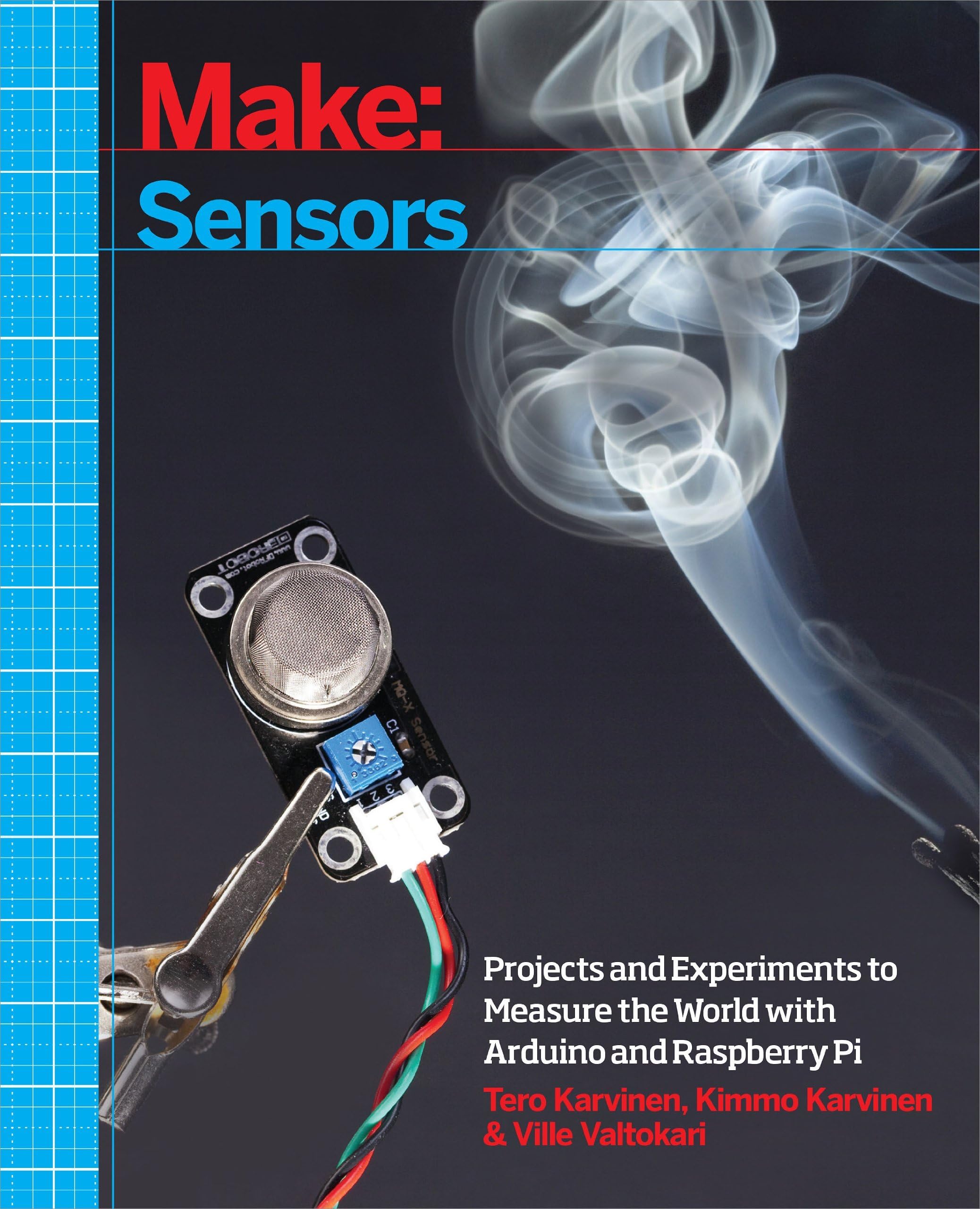
Make: Sensors: A Hands-On Primer for Monitoring the Real World with Arduino and Raspberry Pi
Product ID: 1311747
Buy anything from 5,000+ international stores. One checkout price. No surprise fees. Join 2M+ shoppers on Desertcart.
Desertcart purchases this item on your behalf and handles shipping, customs, and support to Lithuania.
Make: Sensors is the definitive introduction and guide to the sometimes-tricky world of using sensors to monitor the physical world. With dozens of projects and experiments for you to build, this book shows you how to build sensor projects with both Arduino and Raspberry Pi. Use Arduino when you need a low-power, low-complexity brain for your sensor, and choose Raspberry Pi when you need to perform additional processing using the Linux operating system running on that device. You'll learn about touch sensors, light sensors, accelerometers, gyroscopes, magnetic sensors, as well as temperature, humidity, and gas sensors. Review: Great guide into electronics - Great book for learning electronics and fun book to follow along side with experiments Review: Sensors for Dummies - This primer bridges both worlds of Arduino and Raspberry Pi with excellent attention to details for the uninitiated. If you need proven solutions AND willing to fork some $$$ for the sensors you will achieve a sense of satisfaction in quickly reproducing the abundant examples in the book. The more I use the book to evaluate the exercises, the more I am impressed by the attention to detail by the authors. Of course, there will always be opportunities to explain things in more detail for diverse audiences but I have to confess that most of the discrepancies I am capturing below may be due to "operator error!" :) I will append editorial oversights below as I dutifully step through each chapter [be warned: this is not my day job :)] Figure 1-7 does not match Table 1-1 Example 3-5 assumes that the on-board LED (pin #13) is used in Figure 3-10 Example 3-4 invokes "botbook_gpio.py" which failed compilation in my IDLE 3 environment (I corrected the print statements) at line 25, column 20 for the "wa" dual attribute. Apparently one attribute is allowed in my configuration. Not knowing enough about the low level details, I changed the setting to a single attribute but ran into "timeout" problems with the pulseInHigh(echoPin) method. Perhaps an example of the "operator error" I alluded to earlier.


| Best Sellers Rank | #335,597 in Books ( See Top 100 in Books ) #44 in Single Board Computers (Books) #71 in Robotics (Books) #148 in Robotics & Automation (Books) |
| Customer Reviews | 4.5 out of 5 stars 185 Reviews |
R**N
Great guide into electronics
Great book for learning electronics and fun book to follow along side with experiments
M**M
Sensors for Dummies
This primer bridges both worlds of Arduino and Raspberry Pi with excellent attention to details for the uninitiated. If you need proven solutions AND willing to fork some $$$ for the sensors you will achieve a sense of satisfaction in quickly reproducing the abundant examples in the book. The more I use the book to evaluate the exercises, the more I am impressed by the attention to detail by the authors. Of course, there will always be opportunities to explain things in more detail for diverse audiences but I have to confess that most of the discrepancies I am capturing below may be due to "operator error!" :) I will append editorial oversights below as I dutifully step through each chapter [be warned: this is not my day job :)] Figure 1-7 does not match Table 1-1 Example 3-5 assumes that the on-board LED (pin #13) is used in Figure 3-10 Example 3-4 invokes "botbook_gpio.py" which failed compilation in my IDLE 3 environment (I corrected the print statements) at line 25, column 20 for the "wa" dual attribute. Apparently one attribute is allowed in my configuration. Not knowing enough about the low level details, I changed the setting to a single attribute but ran into "timeout" problems with the pulseInHigh(echoPin) method. Perhaps an example of the "operator error" I alluded to earlier.
M**I
wonderful wonderful wonderful and equals it's weight gold.
the example of compass-Accelerometer worth 10 times the price of the book alone.. the book is full color on high quality paper, and full of high quality information with step by step implementation , wiring diagrams and a good explanations of the code lines...kinda fast explanations though, i wish they would have elaborated a bit more. few improvements are required to make it five stars: i would really have appreciated more illustrations explaining theory behind the code specially for the LSM303 experiment, I'm not really a fan of just implementing things that i don't understand. showing the output of programs would have been very helpful in many experiments, but yet none. i felt like the book is either made in a rush, or may be the authors did not want the book to be overwhelming for hobbyists so that they target more audience for the book, i do not know, but the appendix might have been a solution i guess. all in all the book is full of excellent information. I'll watch out for the authors if they publish any other books, I'll definitely buy it.
P**L
What a great book!!
This is a very good but limited exposure to sensors for both Arduino and Raspberry Pi. If you have interest in both then the whole of the book applies. Although it covers many popular sensors with in-depth sketches, explanations, and diagrams it leaves some untouched. I love the quality of the glossy paper and colored pictures — it rates among the best. I would have preferred separate books for each micro-controller type with coverage of more sensors, but we have what we have. It’s nicely done and in an attractive package.
B**A
Very Nice Read
I always wondered how to go about different modules available online interfacing them with Arduino and this book is one stop place for all that and more, Many Thanks to the author for writing such a easy to read and understand book.
B**N
Sensors for Arduino and Raspberry Pi
Good book, fast service
H**O
It's pretty good.
I like this book, the author is clear and concise.I give this book a 3 because there is no list of components required for the projects. I was hoping to get a parts list or something like that so I could work along with all the projects. I ended up spending a lot of time improvising and researching alternatives or buying other products like the sunfounder raspberry pi starter kit.
B**I
This is a good book which every Arduino owner should have and work ...
This is a good book which every Arduino owner should have and work through. The sensors are primarily KEYES sensors and can be found in the 37 sensor collection which I bought.
M**O
Five Stars
Met expectations
G**T
Excellent book on sensors.
Great book to learn about all kinds of sensors. The authors did a nice job of delivering a good book about the subject
W**M
Excelente
Buen libro
A**O
Buen libro
Buen libro, bien organizado.
B**N
Make: Sensors
Great book for learning Arduino
Trustpilot
2 months ago
2 months ago