Buy anything from 5,000+ international stores. One checkout price. No surprise fees. Join 2M+ shoppers on Desertcart.
Desertcart purchases this item on your behalf and handles shipping, customs, and support to Lithuania.
🛋️ Elevate your chill game—hands-free binge-watching just got a pro upgrade!
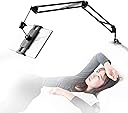
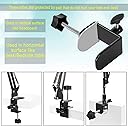
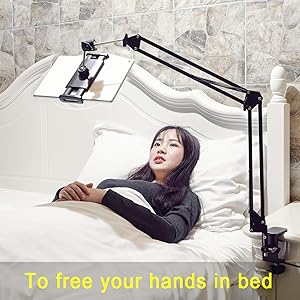
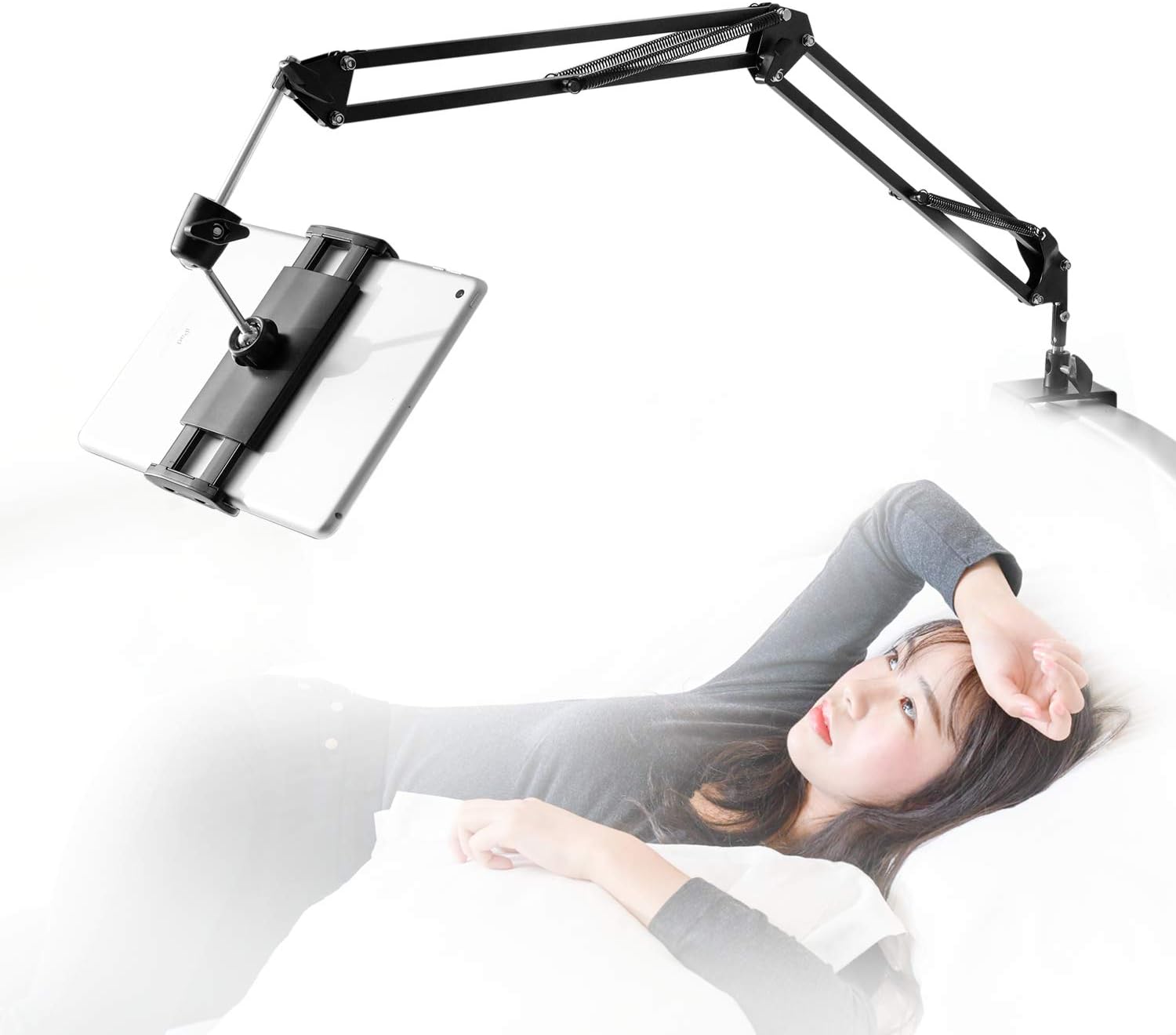
The SAMHOUSING Tablet Stand is a premium, 360-degree rotatable mount with a sturdy aluminum arm designed to hold devices weighing up to 1000g. Compatible with a wide range of tablets and phones (4.7"–12.9" screens), it installs easily on surfaces up to 52mm thick without tools. Its robust build and versatile adjustability make it perfect for hands-free entertainment or work in bed or at your desk.


| ASIN | B07P8YHKLF |
| Adjustable Length | Yes |
| Antenna Location | bed desk |
| Best Sellers Rank | #192 in Tablet Stands |
| Brand | SAMHOUSING |
| Color | black |
| Compatible Devices | 2022 iPad 10 9 8 7 6 5 4 3 2 / iPad Pro 12.9 / 11 / 10.5 / 10.2 / 9.7 / iPad Air 4 3 2/ iPad Mini 6 5 4 3 2 / iPhone 14, iPhone 14 Pro, iPhone 14 Pro Max ,iPhone 13, iPhone 13 Pro, iPhone 13 Pro Max, iPhone 12 Mini, 12, 12 Pro, 12 Pro Max, iPhone 11, 11 Pro, 11 Pro Max, Xs, Xs Max, XR, X, 8, 7, 7 Plus, 6s, 6s Plus, 6, 6 plus, 5s, 5, 5c, 4, 4s / Galaxy Z S Note A / Galaxy Galaxy Tab S7 A7 S7+ S6 A S5e A; Galaxy S Note Z A M W F / Galaxy Z Flip Fold Fold2 / Galaxy S21 S21+ Ultra S20+ S20 Ultra S10+ S10 S10e S10 S10e S9+ S9 S8+ S8 / Galaxy Note 20 10+ 10 9 / Galaxy A52 A51 A71 A70s A50s A20s A90 A80 A40s A60 A70 A8s A9s A6s F52 5G / W21 W20 W2019 / Xperia Z Tablet, Switch, Amazon Kindle, Desktop, Tablets, Switc Compatible Devices 2022 iPad 10 9 8 7 6 5 4 3 2 / iPad Pro 12.9 / 11 / 10.5 / 10.2 / 9.7 / iPad Air 4 3 2/ iPad Mini 6 5 4 3 2 / iPhone 14, iPhone 14 Pro, iPhone 14 Pro Max ,iPhone 13, iPhone 13 Pro, iPhone 13 Pro Max, iPhone 12 Mini, 12, 12 Pro, 12 Pro Max, iPhone 11, 11 Pro, 11 Pro Max, Xs, Xs Max, XR, X, 8, 7, 7 Plus, 6s, 6s Plus, 6, 6 plus, 5s, 5, 5c, 4, 4s / Galaxy Z S Note A / Galaxy Galaxy Tab S7 A7 S7+ S6 A S5e A; Galaxy S Note Z A M W F / Galaxy Z Flip Fold Fold2 / Galaxy S21 S21+ Ultra S20+ S20 Ultra S10+ S10 S10e S10 S10e S9+ S9 S8+ S8 / Galaxy Note 20 10+ 10 9 / Galaxy A52 A51 A71 A70s A50s A20s A90 A80 A40s A60 A70 A8s A9s A6s F52 5G / W21 W20 W2019 / Xperia Z Tablet, Switch, Amazon Kindle, Desktop, Tablets, Switc See more |
| Compatible Phone Models | Iphone |
| Customer Reviews | 4.2 out of 5 stars 7,439 Reviews |
| EU Spare Part Availability Duration | 3 Years |
| Enclosure Material | Iron |
| Fastening Type | Clip Holder |
| Finish | Polished or Brushed |
| Form Factor | Gimbal |
| Item Dimensions | 11.81 x 11.02 x 2.76 inches |
| Item Weight | 930 Grams |
| Manufacturer | Samhouse |
| Mfr Part Number | VFD684RR |
| Model Name | tablet holder |
| Model Number | VFD684RR |
| Mounting Type | Tabletop |
| Number of Items | 1 |
| Other Special Features of the Product | Adjustable |
| Style Name | Sturdy |
| UPC | 748323387605 |
| Unit Count | 1.0 Count |
M**Y
OMG, this thing is worth every dollar!
Let's start with some basics so you understand if this review is for you or not. I use an iPad Pro 12.9", and I use it mostly for reading technical material. So any sort of "holder" that I utilize has to support that level of weight, and has to support the iPad in portrait mode. Out the box this is a mediocre stand, just like others I have tried. For example the gooseneck stands can't really support the weight of the largest iPad and are a hassle to maneuver into place every time you use them. So how did I convert mediocre to perfection? Look at the photos! The first step (thank you some other reviewer who gave me the idea!) is to deal with the iPad mounting. The mounting that's supplied by the manufacturer is a pain in the ass to use, requiring an effort to slide the iPad in and pull it out on every use. Solution is to get a magnetic mount. Amazon is kinda weird about including URLs, but look for "ORASANT Strong Magnetic Tripod Mount". That supplies the "head" that's at the very end of my setup, holding the iPad. How do you connect it? Well look at how the mount connects to the arm that you have just bought. At the very end, the mount that holds the iPad, has a little neck, a screw ring, and a holder that holds a mini-ball-head thats connected to the final metal rod you see just before the iPad. You unscrew that ring and can pop the mount off the ball head. A similar setup connects the magnetic part of the ORASANT mount to the plastic holder that it sits on. And (yay standards!) they are identically sized ball heads. So just swap the one for the other! If you look at my second photo, the focal point of the photo, the black magnetic mount in the lower third of the picture, is the ORASANT mount connected to the rest of the arm that you've bought. At the very end you see the three-fold magnetic head, then right behind the head you see a black ring. Unscrew that ring and you have the ball-head that connects to the rest of the arm. Step two is your need your iPad to hold onto the magnetic mount, meaning you need to attach some thin iron sheets to its back, as you can see in the photo. I attached two "sections" of iron sheet, the upper section is for holding the iPad in portrait mode, the lower section is better for holding it in landscape mode. Since I use a Smart Folio as my iPad cover, it's very easy to pull the Folio off the iPad (it's connected by magnetism around the edge of the iPad Pro) and pop the iPad onto the magnetic mount, then to pull the iPad off the mount and pop its cover back on. You will obviously think this so, yes, I tried some obvious short cuts! Is the magnetism around the iPad edges (used by the Smart Folio or the Magic Keyboard) strong enough to hold it up if you bought maybe a cheaper mount with just an iron based? IMHO that's unsatisfactory because you can't really position the iPad nicely with it hanging by its edge. Just buy the magnetic mount, it's not expensive! Can you stick the iPad to the mount with its Smart Folio on? Not very satisfactorily! You can kinda just get it to work, but the magnetic strength through the additional thickness of the case is weak enough that the slightest wrong touch makes it fall off. But without the case the connection is very satisfactory and does not feel at all fragile. You can find the sorts of thin iron plates you need by doing a search for "Metal Plates for Magnetic Car Mount". OK, at this stage we now have a great connection from our iPad to this mounting arm. What's the next step? You will see photos showing various mounting options (and to be fair, the vice clamp that the arm comes with is pretty damn well designed, very flexible and capable of clamping onto a lot of different things. But I found that all the obvious options I tried (variants of nightstand on the side, or behind the headboard) were all unsatisfactory. The nightstand angles were always wrong, and clamped to the headboard the iPad was a few inches too close to my eyes for comfortable reading. This may not matter to you depending on your eyes, or whether you are watching movies lying down, rather than reading while somewhat vertical. But to me it made the product so close but still useless :-( Hence the last stage. You'll see I mounted a bracket on the wall that projects about ten inches over the bed, then I clamped the arm onto the end of that bracket. (This was just a bracket I had lying around, I'm afraid you will have to look for something similar in your garage or at Home Depot.) It's obviously not QUITE ideal -- you can (and I do) swing the arm all the way around to against the wall when it's not in use, but you still have that bracket sticking out ten inches, and if you share a bed that may be problematic. But for my use of the bed I have not found it to be a problem, mounting it as I did towards one side of the bed (not the middle). In the last photo you see the arm rotated away against the wall. The payoff for all this (about $50 in parts and half an hour with a stud finder and a drill) is a system that feels astonishingly good. The arm is robust and stiff, the iPad sits still where it should, and it's very easy to position the iPad exactly where I want it so that I can read for a long time without getting tired.
L**A
UPDATE!!! This thing is great!
I've only been using it for about a week but I think this product is great. I read a lot of the "so-so" and negative reviews before purchasing this product.... which made me concerned that this product would sag or not be as flexible as advertised .... but so far so good. It doesn't sag at any joint and it is very flexible. I like to read in bed so I've only used it with my 7" Kindle so far. Soon I will try it out with my larger iPad Pro....but I must admit that I'm hesitant to do so ... because some negative reviews said the "clamp" that holds your device ..(or the ball socket clip) ... broke when they were extracting or inserting their devices. The clamps that hold the devices are taunt but they don't seem flimsy enough to break easily. I'll update my review after I give it a complete workout. P.S. It is easy to insert this devise up-side-down which will prevent it from having much flexibility. Make sure you carefully and closely look at the provided illustrations which show the correct orientation. ***UPDATE Sept.30,23 I have been using this Bed-Tablet Stand with my Kindle and iPad Pro for quite a while now. (I think it's been close to two years.) I think it's fantastic!!!! But, It does have a couple of issues you should know about. 1. You MUST have a head-board that it can clamp onto "from above".... or something sturdy that it can clamp onto "from above". I do not have the correct type of head board, but I do have cabinet doors (built into my headboard) which allowed me to clamp this device onto the "top part" of a cabinet door. Some guy posted pictures (here) showing how he screwed-in a piece of wood onto his headboard to create a "lip" for this device ....(which I thought was a great idea). I have had no issues using it with my Kindle.... but, after about 6 months of switching back-&-forth, from my Kindle to my iPad Pro (10.5 inch), the "ball socket clip" did start to slip, causing my iPad Pro to flop-down. However, ..... I fixed this problem. My iPad Pro has a "back protection cover"... so by purchasing a teeny-tiny bungee cord and wrapping it around the "ball socket" area and then hooking it onto the iPad Pro's back protection cover, the problem was instantly solved. The tiny bungee cord has just the right amount of "stretch" so you can still position the iPad anyway you desire and it will not sag. Yes, it would be great if this company could design the ball socket to stop drooping with iPad Pro's ... but this device doesn't "jiggle or vibrate" at all ... which seems to be the #1. complaint about all other similar products. P.S. .... it is FANTASTIC watching TV on an iPad Pro that is able to hover over your face.... and the same can be said for reading on your Kindle.
M**T
Functionality
Bought this for my wife and she loves it for her tablet. Super steady, the only thing i dont like it bounces a little because of the springs, but, besides that super strong and easy to move around Sturdiness: it absolutely is Grip: extremely grippy Phone hold: Holds my wife's 10" tablet no problem Functionality: perfect Ease of assembly: You dont need to be a rocket scientist Flexibility: Strong and flexible I do not review anything that I don't want/need for my own personal use and I have enough knowledge about it to provide accurate and useful details. I do tell it like it is and I am not influenced to provide feedback that isn't based on facts or my own experience. Therefore you can trust my unbiased review as if I were a friend looking out for your best interest and that of your hard-earned money.
L**Q
Far better than I expected
I like to watch/listen to YouTube vids while playing a game. I hesitated for a long time to buy this and just used a tablet case with a stand instead. I finally bought this earlier this month. It holds my Fire 10 tablet without a struggle as well my Nintendo Switch when I tested it with that as well. It works great and I highly recommend it if you're on the fence about it. Its strudy, and each joint has its own screw to tighten or loose, if needed. I plan to buy a second one next month. The following 2 issues are likely a me issue in regards to how I use it, but regardless, I don't think they take away from recommending it. The first is when typing on the tablet you need to hold it with the other hand, else its awkward due to it bouncing with each tap. Again, that's a me thing and just how physics works, so I figured its worth a mention. The second issue is paint getting scraped off of it when pushing it away or pulling close, which I do a lot. Easily fixed by not tightening the screw that connects the arm to the base. I figured in case anyone might do what I did/do I'd mention so that you know where that random small spot of black specks came from that took a little too long to figure out. We all have our moments, lol. Not that it matters to anyone but me, but in regards to my picture, its not normally that close and doesn't cover my tv screen. Its like that purely for the picture.
D**.
Creepy, annoying yet functional
I’m not sure why I don’t like this thing but I just don’t. It’s very sturdy and doesn’t move around when it’s set up. It has articulating joints so you can move it pretty much anywhere you want to angle ur device for the best viewing. Sturdy metal parts. What is disturbing though, is it’s difficult to get each joint positioned perfectly. That’s a pain bc once this is mounted, the last thing you want to do is try to shimmy under it and reposition the joints. That’s another thing—how you mount it—say for watching ur tablet in bed—it’s like permanently affixed in that position, so u need to slither out from under it if u need to get a snack or something. My bedroom isn’t set up to mount this to the headboard(it needs several inches between the wall and ur headboard for that), so I clamp mine to the door, which swings inward enuff to be close to the bed…so if I need to get out of bed, I can just push the door and this arm will swing away too. If it was mounted to the headboard, I couldn’t do anything (it does not budge) other than crawl under it. It’s “permanent” feel is disturbing. On my door, it seems like some metal arm reaching for my face(try it and see-it’s creepy af)…mounted to the headboard would feel like having a giant scorpion tail poised over my head, constantly ready to strike… ok I get that sounds insane but trust me if u try this thing it just is all kinds of creepy and isn’t one of those “just fold it up and it’s put away” kinda situations…once up, this thing is going NOWHERE until u take it down. To make it even more awful, I use a washcloth over the wooden door so that the arm’s vice-like grip doesn’t scratch the wood…this thing grips and will not jiggle, wiggle or move! (Hence the having to crawl under it) Since it’s such a pita to install, I only put it up when I intend to watch a movie in bed, which is rare. I was initially under the impression that it just folds all kinds of up and can be stored easily/quickly. No. The joints, and there are many, would need to be loosened and released…and I don’t know that they even “fold” enough to be considered folded or not a big nuisance. Basically this thing is like having a big, unwieldy Terminator arm lashed to ur bed. It’s ugly and gives me the creeps. But it’s stable and more solid than most tripods and stands. Once u get the elbows all angled, and screws tightened, it’s solid and not gonna budge. Very high quality. It would be great for holding equipment for filming or doing web meetings. However, just to watch movies like a big ol lazy slug, it’s alot of work…and it takes up space after ur viewing experience, bc it literally doesn’t fold up…so u have to toss this thing under the bed or in a closet. Not exactly a ‘space saving’ device. Unless u watch a lot of videos in bed, this is more irritating than helpful. Just prop ur iPad on a pillow and call it a day. I do find it’s useful in helping me not get neck strain tho—a pillow doesn’t prop an iPad at the right height/angle…If I’m doing a sheet mask, this allows me to watch videos without disturbing my mask or getting essence on the iPad. Great too to watch vids while soaking off gel polish. But not something I’d use every day. A nice helper at times but not really a necessity. You may find it useful but it also takes up a lot of space and I’d just oddly creepy. Good buy if u get use out of it—otherwise, something that’ll wind up at a garage sale.lol
T**N
Truly amazing product and beyond amazing customer support
I love this product and I didn't even know they existed before I purchased it. I'm a little late to the party sometimes. I had just purchased a tablet and do most of my work in bed because of some health problems. I got a mouse a stylus and this strange looking appendage arm/holder and boy am I set up. It works great and now I can't live without it it seems. One slight problem.. two of the plastic pieces the round ball joints attach to wore out too soon but I do use mine a lot. It was still under warranty I emailed their address on the brochure and they sent me a new one the NEXT DAY!! How's that for service! And it looks like they made some improvements to the design. I highly recommend this product for everyone.
A**L
Good customer service.
Updated review at the bottom: Its alright. It doesn't have many points of rotation so its a bit difficult to adjust to where you want it. Once you get it, its fine. After a week or so of use the ball on the back got so loose it slowly sags my tablet. Got so annoyed I just tapped it. Probably will be super gluing it. It has a pointy edge that ive caught skin and clothes in so be careful. It was cheap so I cant complain to much. UPDATE! The seller offered a replacement so it seems this was just a defect in the one I received.
M**O
Great … until it breaks.
I loved this thing when I first got it. It’s long enough to hover over your head so you don’t have to lay on your side to watch something. It’s sturdy, for for most part. I was really excited since the last arm I had was wimpy and short. Then, it started breaking everything I tried to attach it to. Bookcases, side tables, wall shelves, lamps —it was too heavy for all of them! I’m not kidding, the wall shelf like collapsed as I was adjusting the arm to a better angle! 😭 Then, the screw that’s inside the metal plate came completely loose, so the plate can’t be flat against anything, thus rending the device completely unsealed. It’s covered by a plastic panel that I’m hesitant to just bust off, so I don’t know if the screw can be fixed. Every little twisty part becomes so hard to tighten, yet never holding its tension since the whole arm buckles. It does fine for my hour of reading , but when I have to push it up and away, I can expect the next night will be a hell of tightening and readjusting everything again. My own issue, but I have ehlers danlos syndrome and arthritis, so my hands are not good at twisting small parts and using real force anymore. about dislocated my thumb trying to tighten the main joint — to no avail, mind you. I get this holder and the kindle remote to give my hands a break! It’s been more work than just holding the damn thing. This thing HIGHLY relies on you having a solid wood headboard. No curved metal rods or anything other than a smooth, sturdy surface. And hey, maybe it’s user error and I was hoping for too much. I think maybe something less adjustable might be more stable and require less manipulating. Like, all I want is to lay on my back and have the screen right in front of my face. This has so much potential.
D**E
High quality and sturdy, and affordable
Updated December 2023: 1st unit still holding up as good as the day it was bought. I Just bought a 2nd unit for my home, for all the original reasons stated below in the original review. These tablet arms are incredibly handy and useful, I found myself constantly moving mine around to different rooms where I needed it. Decided to buy a 2nd one (I'll probably buy a few more yet eventually). Bought this for holding an Amazon Fire HD8 Tablet and a portable 13" secondary flatpanel monitor screen holder. The product is EXACTLY as the promo images display. This review might be a bit on the long side however i'll cover several uses i've found to be really handy that nobody sofar has mentioned in their reviews. I'm very impressed by the build quality All metal frame, springs and bolts, including the whole bracket clamp. Only non metal parts are the plastic knobs ends on the tension-bolts, the spring loaded tablet clamp grip assembly, and tightening nut at the back of that clamp grip assembly, and silicon pad on the bracket clamps themselves as to not damage or leave marks the finish on any choice of furniture you chose to mount the base on, whether it be it a bedside night stand, headboard, coffee table, countertop, table, glass top table or glass-top coffee table or wall shelf; or just about anywhere else you can think of. The base bracket clamp has 2 socket mounting options to clamp onto - horizontally (ie: table ledge) or vertically (ie: headboard), and the clamp has a full minimum 1/4" to 3" maximum clearance to accommodate some very thin (glass top coffee table) and thick mounting applications like a headboard. The tablet stand is very sturdy, while priced affordably. The Tablet stand has 6 tension-bolts: - one for the clamp plate adjustment screw, a good sized thick round knob with 5 deep finger sized indentations that allow you to firmly grip and tighten the clamp to the surface/ledge/etc spot you have chosen. It doesn't matter if you have small or large hands, thin or thick fingers, or wearing gloves, you'd have no problem or issue getting a solid grip on this knob. - one on the base clamp bracket with 2 holes - one for each orientation which will secure the tablet stand, preventing from swinging to either side if you prefer or require a "fixed" placement of the arm. - three on the remaining arm hinge joints (base, middle end), which lock the 2 arm sections in the position you want them - one on at the very end that connects the end of the tablet arm with the 2 sets of short metal rods, with one of the rods ending in a ball-joint to the backplate of the tablet gripper assembly. The tablet arm comes neatly folded inside a small box, with a easy to understand set of instructions, Assembly is very minimal, and that covers both the horizontal or vertical orientation of the base bracket clamp, and the attachment of the spring loaded tablet gripper holder assembly - which is a plastic nut and a ball-joint / ball-joint socket. Setup of the tablet arm is very simple, once choosing an adequate spot/surface/ledge to tighten the base clamp onto attaching that tablet gripper assembly and inserting the tablet arm into the rod, it's merely a matter of positioning the tablet arm and tightening those tension knobs, and lastly your tablet or display device between the pair of padded grip holders. As advertised, the spring loaded tablet clamps will accommodate devices within 5 3/8" to 11" size, as the clamps extend just a little past 11". - Both clamps measure at 2 5/8" wide across. - The rubber padded lip has a full 5/8" of depth for gripping onto whatever phone, tablet or screen that will fit within the 5 3/8" to 11" measurement. - Both top and bottom lips are slotted across inside to accommodate most usb charge cables and headphone cables, The slot measures about 1 3/4" wide by 3/8" deep, should the device your using (a phone or tablet) require charging; and/or should you want to plug in your headphones - The springs in those clamps have a considerable amount of tension 'clamping force' that will keep your device/tablet/screen securely in place if it gets accidentally bumped. Testing and using the tablet arm, I use this tablet arm with 5 different devices, in several different setups: 2 brands / sizes of smart phones, one of them being 'phablet' in size with a 6" screen, both phones with protective cases on. I found removing the cases was unnecessary. The phones are held in the typical portrait mode, and the usb cables I have on hand, do have enough clearance through the inner lip slot, and also able to comfortably fit 3.5mm headphone cable as well. Amazon Fire tablet HD8, in both portrait and landscape modes, the spring loaded grips extend wide enough to hold the HD8 on both long or short edges (8 1/8" x 5 5/8"), and the spring tension has enough to hold the tablet snug and firm, even while the tablet is within its case. Alternative Pc / Laptop display mount: For people who use their laptops while laying down in bed and get tired of constantly bending their neck down to look at the screen, I tested a 15" portable monitor (Amazon has a bunch in the store here - just search for 'portable monitor' ), the only caveat here is you'd need to have a hdmi + power cable extension or single usb cable long enough to reach said computer / laptop / video source and use zip-ties to fasten the cables neatly along the length of the arm to keep things tidy. That being said, this Tablet Stand is a very unique and convenient solution, allowing the person to comfortably lay back in bed and keeping their neck in a more neutral posture position. No more sore necks, and your neck will thank you. Alternatively, this Tablet Stand works great clamped to the side of the computer desk or livingroom end table to mount a portable 15" monitor for use as a secondary or third display screen when desk space / workpace is cramped, limited or simply unable to fit an extra display screen. A person could buy and use 2 of these and have a 3 monitor display spread on a desk/workspace that's only big enough for a single monitor or laptop. I've tried this and it works wonderfully in my livingroom - sitting at the end of the sofa or in the arm-chair with an end table off to the side, I'm able to use the laptop with a second screen, and have the second screen positioned exactly where I want / need it. This is also true when needing a third arm and spare hand to hold your cell phone or tablet while working in tandem with your laptop. Its a great hands-free device holder and mount. I also have a 2-in-1 convertible 11.6" sized chromebook (brand unimportant, 11.6" is a common chromebook size), that has a touch-screen and the screen lid folds a full 180 degrees to the other side / backside of the keyboard converting from laptop to 'tablet mode' . The outer dimensions of the chromebook is 8 1/8" x 11 3/4", and the tablet arm grippers does accommodate the 8 1/8" 'landscape' orientation without issue. There's enough 'lip' on those grippers, and this tablet arm is rated for up to 1500grams (1.5kg / 3.3lb), which is within the weight of the chromebook i have. The Chromebook is arguably the heaviest of the devices I tried, and once those tension knobs are tightened, there's only a slightest bit of jiggle/wobble if tapping the screen with your finger using one of those android screen styluses. The ball-joint socket at the back of the tablet gripper assembly is also quite sturdy, I'm able to tighten the nut enough so that the gripper plate is stiff and holds the position you set it to, wile at the same time still able to tilt / adjust whichever device I'm using to a comfortable viewing angle.
M**M
Tablet stand does not work
Struggling with this product since i received it. Does not secure the tablet enough and wobbles all the time. How to return it??
M**N
Great phone holder, especially with a phone remote
It does its job well. So well in fact, my dad wants one too. So I ordered a second one! Installing was easy. Great for watching videos handsfree and reading novels with auto scroller/remote. The phone stays in place without moving. However it does shake quite a bit if you do intend to touch the screen by hand so definitely would recommend one of those phone remotes/controllers or something similar.
A**S
One of the best tablet stands - highly recommended
Over the years, I’ve had a few stands for my tablet/Kindle but this is a standout one that’s admired by many visitors. Firstly it’s very well made from strong materials; fully adjustable in all directions; robust and sturdy in use; and can be moved out of the way in a trice. The second point, and one of the most important in my view, is it’s manoeuvrability. There’s a world of difference in weight and size between my iPad Pro and my Kindle, but this stand copes with both with no difficulty. It grips both well with virtually no change of them dropping, and it almost flows in it’s movement when you want to adjust it. I like that you can fit it to a vertical or horizontal surface and, as my preferred spot (as you can see from the video) is on the side of a cup stand on the arm of a soft leather armchair. Because of the fittings, there is no chance of damage to the chair’s arm and if I remove the stand, there are no marks left in the leather. The reason for this is that it uses plates rather than round screw ends to hold it in place, causing no damage to the surface. I cannot recommend this highly enough! - superb!!
O**A
Cumple y facil de usar, pero si tiembla un poco
Tengo un Smartphone rugerizado no apto para las dimensiones de este dispositivo ya que tiene un grosor de 18 mm pero aun así lo sujeta bien aunque por lo mismo, no puedo conectar su cable de carga, tambien sujeta muy bien una Nintendo switch sin los joycon
Trustpilot
1 day ago
1 month ago